
Photo & Video
Netflix Game Controller Review 2026
Our verdict: Netflix Game Controller turns the phone everyone already owns into a free TV game controller — brilliant for party game nights, but only if you already pay for Netflix, and occasional connection hiccups mean you should test it before guests arrive.
Netflix Game Controller is the app you did not know you needed until game night. Instead of buying controllers, charging batteries, or figuring out which gamepad works with your TV, you open a game on Netflix, point your phone at a QR code, and your phone becomes the controller. Swipe, tap, type, draw, and steer — all from the device already in your pocket.
The app shot back up the US App Store free chart on November 1, 2026, jumping 65 places to number 20, and it holds a 4.6-star average from hundreds of thousands of App Store ratings. That surge is not a coincidence: Netflix has been leaning hard into living-room party games, and this free companion app is the key that unlocks them. We tested the setup, the games, and the rough edges to answer the only question that matters: is Netflix Game Controller worth downloading?
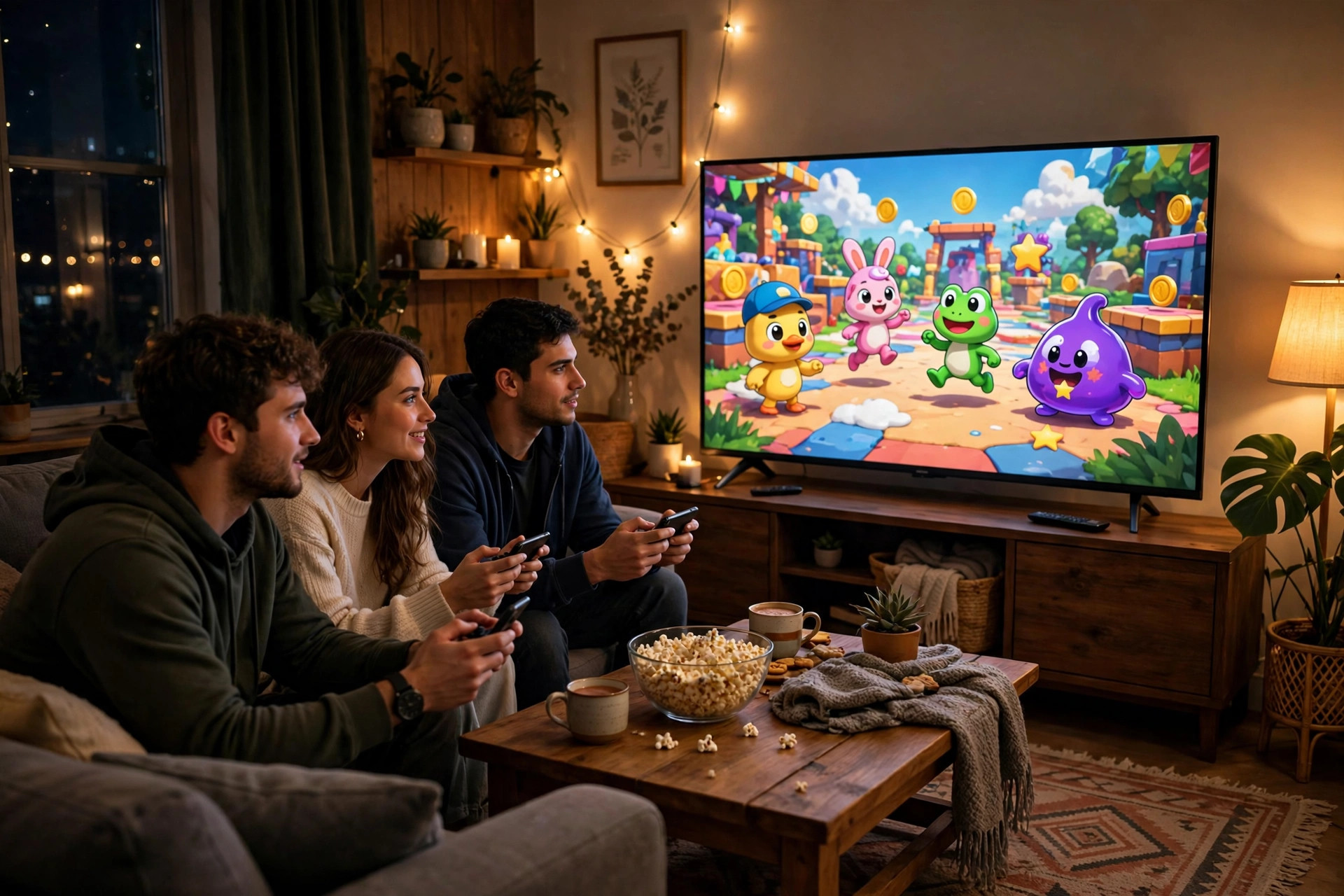
What Netflix Game Controller does
Netflix Game Controller does exactly one job, and it does it well: it lets your phone or tablet act as a controller for Netflix games played on a TV or through a computer browser. The games themselves run on the big screen. Your phone is the input device — a touchscreen controller that adapts to whatever game you are playing.
That matters because it removes the biggest barrier to casual living-room gaming: hardware. A family that already has Netflix and a few phones needs nothing else. No console, no extra controllers, no setup beyond a QR code scan. Each player joins with their own phone, which also solves the classic party-game problem of passing one controller around or crowding around a keyboard.
The app is free on both the App Store and Google Play, and it is available to everyone — there is no separate charge for the controller itself. The catch, and it is an important one, is that the games are included with a Netflix membership. If you do not subscribe to Netflix, the controller has nothing to connect to.
How setup works
Setup is deliberately simple, and in our testing it takes under a minute when everything works. First, install Netflix Game Controller on your phone or tablet. Then, on your TV or computer browser, open Netflix and pick a supported game from the Games section. The TV displays a QR code. Scan it with the controller app, and your phone pairs to that session.
Once connected, the phone screen changes to match the game: buttons for action games, a drawing canvas for drawing games, a keyboard for word games, or motion controls where you tilt and move the phone. In some titles your phone also becomes a private second screen — holding secret answers, cards, or messages that other players cannot see on the TV. That private-screen trick is something a regular controller simply cannot do, and it is what makes trivia and drawing games feel genuinely different here.
One practical tip: make sure your phone and your TV are on a stable connection before you start, and keep the controller app in the foreground. Several user reviews report the controller freezing or dropping mid-game, and a mid-game disconnect is the fastest way to ruin a party round. A quick test game before guests arrive is worth the two minutes.
Standout features
Your phone is the controller — no hardware to buy
The core idea is the feature. Swipe, tap, type, draw, and steer right from your phone, with controls that change per game. A drawing game gives you a canvas. A cooking game gives you buttons and movement. A trivia game gives you private answer buttons. You never have to learn a new controller layout, because the layout is built for each game.
Private screens make party games fairer
Because every player has their own phone, games can hide information. In a drawing game, you sketch on your phone while everyone else watches the TV. In a trivia game, your answer stays hidden until the reveal. That hidden-information design is the reason these games work better on Netflix than they would with a shared remote.
Up to eight players in party titles
Party games are where this app shines. Pictionary: Game Night supports up to eight players, each with their own phone, which turns a living room into a proper game-night setup without buying anything. For families and friend groups, that player count is the difference between a gimmick and a real evening of entertainment.
Motion, vibration, and sound through your phone
Some newer Netflix games use the phone itself as part of the experience: tilting to steer, vibration for feedback, and even calls, messages, and audio delivered through the handset during play. Interactive horror and story-driven titles use this well — the phone buzzing in your hand is more unsettling than anything a TV remote can do.
Games included with Netflix — no ads, no extra fees
Every game you play through the controller is included in your Netflix membership, with no ads and no extra in-game purchase for the controller features. For households already paying for Netflix, the entire game night is effectively free on top of a subscription they already have.
The games worth trying first
The library rotates, so treat this as a starting point rather than a complete catalog. Pictionary: Game Night is the safest first pick: easy to explain, up to eight players, and genuinely funny when drawings go wrong. Overcooked! All You Can Eat brings chaotic kitchen co-op to the TV, and it is a great test of whether your group likes fast, cooperative play.
Trivia and mini-golf titles round out the classic game-night trio — low skill floor, quick rounds, and easy for new players to join mid-session. Netflix has also been adding more story-driven and interactive titles that use the phone for calls and messages during play, which suit smaller groups or couples better than a big party. If your first session is with a large group, start with a party game; save the story titles for a quieter night.
Be realistic about depth, though. This is not a console replacement. You will not find sprawling open-world adventures or competitive shooters here, and the catalog is much smaller than a dedicated gaming platform. Netflix is betting on short, social, pick-up-and-play sessions — and on that bet, the lineup delivers.
Pricing
The pricing story is short, which is part of the appeal.
- Netflix Game Controller app ($0): free to download on iOS and Android, no charge for the controller itself
- Games (included): all supported TV and browser games are included with an active Netflix membership, with no ads and no extra fees
- What you still pay for: your regular Netflix subscription — the controller is useless without one, so factor that in if you are not already a subscriber
If you already subscribe, the value proposition is excellent: a whole extra entertainment category for $0 more. If you do not subscribe, do not sign up for Netflix just for these games — the catalog is fun, but it is not yet deep enough to justify a subscription on its own.
Who it's for
Netflix Game Controller is ideal for Netflix subscribers who host game nights, families looking for screen time everyone can join, and casual gamers who will never buy a console. If your living room already revolves around the TV and everyone has a phone, this app turns a subscription you already own into something new.
It is not for everyone. Serious gamers will find the catalog shallow and the phone controls imprecise for fast, competitive play. Non-subscribers get nothing from it. And if your Wi-Fi is unreliable, the occasional disconnects reported by users — frozen screens, dropped pairings, controllers that stop responding mid-round — will frustrate you more than the games entertain you. For a deeper single-player catalog, mobile games on your phone itself remain the better pick.
Getting started with Netflix Game Controller
- Install the app. Download Netflix Game Controller free from the App Store or Google Play on the phone you will use as a controller.
- Pick a game on the big screen. Open Netflix on your TV or computer browser, go to the Games section, and choose a supported title.
- Scan the QR code. Point the controller app at the QR code on your TV or browser to pair your phone to that game session.
- Run a test round first. Play one quick round before guests arrive to confirm the connection holds and everyone knows their controls.
- Start with a party game. For a first game night, choose Pictionary or a trivia title — easy to learn, up to eight players, and fun even when you lose.
What we like
- Completely free — no controller hardware to buy, no extra fees beyond Netflix
- QR-code setup takes under a minute when the connection is stable
- Private phone screens make trivia and drawing games genuinely better
- Up to eight players in party titles, each with their own controller
- Controls adapt to each game: drawing, typing, motion, and buttons
What could be better
- Requires an active Netflix membership — useless without one
- User reports of freezes and dropped connections mid-game
- Game catalog is small compared with consoles or dedicated platforms
- Phone controls feel imprecise for fast, competitive action games
- Some games need a stable connection, so weak Wi-Fi hurts the experience
Free to download — links go to the official Google Play Store listing. We never host APK files. Also available free on the Apple App Store.
Frequently asked questions
Is Netflix Game Controller free?
Yes, the controller app itself is free to download and use. You do need an active Netflix membership to play the games on your TV or computer, but there are no ads and no extra fees for the games included with that membership.
Do I need a Netflix subscription to use Netflix Game Controller?
Yes. The controller app pairs with games that run on Netflix on your TV or in a computer browser, so a Netflix membership is required. Without one, the app has nothing to connect to.
How do you connect Netflix Game Controller to a TV?
Open a supported game on your TV or computer, then scan the QR code shown on screen with the Netflix Game Controller app on your phone. The phone then becomes your controller for that session, with buttons, swipes, and motion controls depending on the game.
How many players can play with Netflix Game Controller?
It depends on the game. Party titles like Pictionary: Game Night support up to eight players, each using their own phone as a controller, while other games are solo or small-group experiences. Check the player count on each game before game night.