
Photo & Video
AI Maker Review 2026
Our verdict: AI Maker turns one selfie into the viral effects all over your feed — dancing photos, action-figure transformations, celebrity-style portraits — with zero editing skill. The free tier is enough to try everything once, but the subscription list is a confusing pile of overlapping tiers, and it is iPhone-first with no official Android version.
AI Maker went from unknown to #44 on the US App Store's Top Free chart in a matter of weeks, climbing 44 places in a single week in October 2026. The hook is simple: upload one selfie and watch it dance, become a collectible action figure, or turn into a red-carpet-style portrait — no editing skill, no learning curve. Third-party estimates put its recent downloads at roughly 570,000 in 30 days, and its App Store rating sits at 4.4 stars across 21,000 reviews.
We spent several days testing AI Maker: Photo Video Filters from developer HungryBird to answer the real questions: do the viral effects live up to the hype, what do the many subscription tiers actually cost, and is it worth downloading next to established editors like CapCut? The short version: the flagship effects are genuinely fun, the free tier lets you test-drive everything, and the pricing page is where things get murky. Here is the full breakdown.
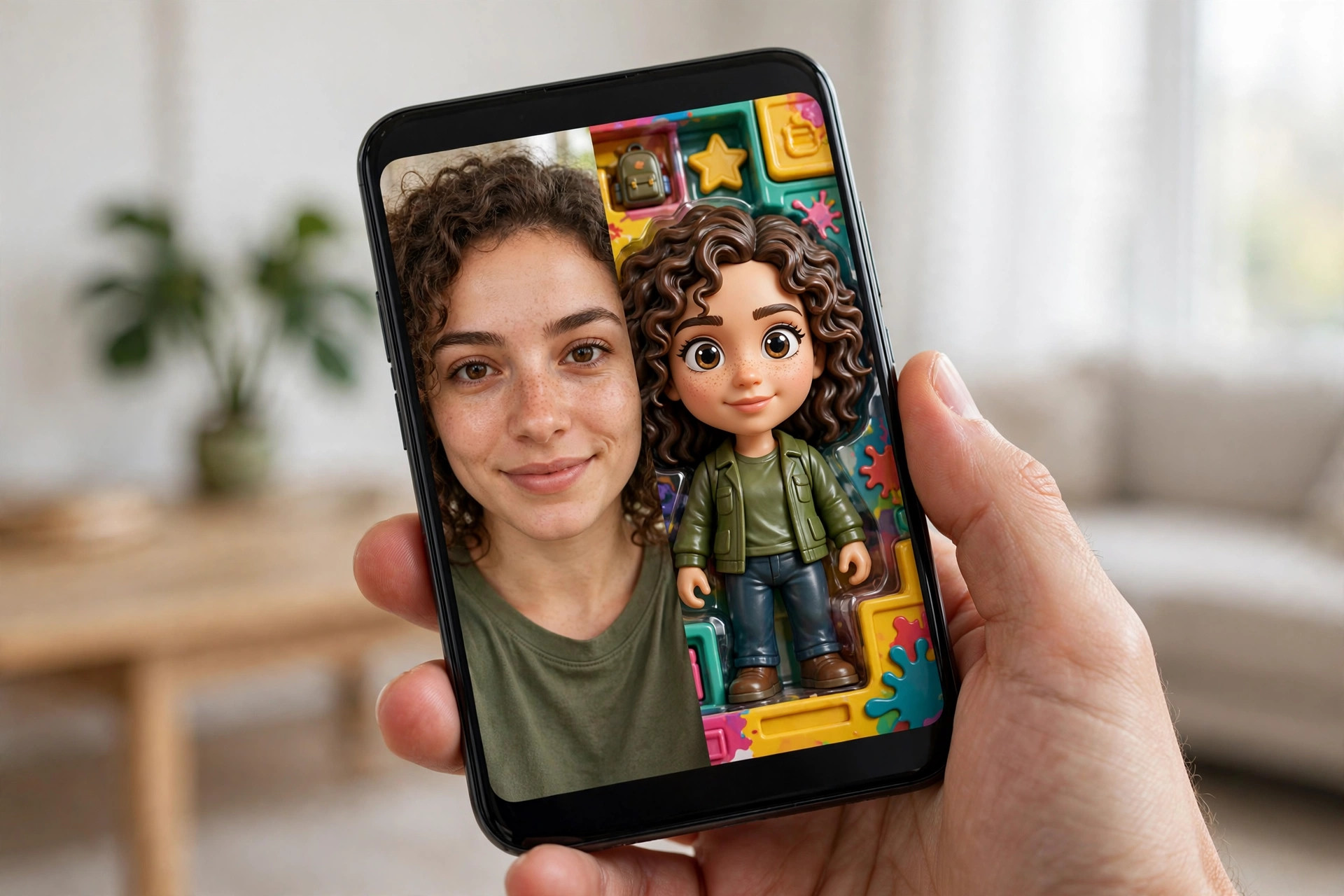
What AI Maker does
AI Maker is an AI photo and video filter app built around one idea: type a prompt or tap a trend, and the AI transforms your photo into something shareable. Upload a selfie — or even a pet photo — and you can generate a viral AI dance video with realistic body motion and choreography, stylize yourself as a 3D collectible action figure, render celebrity-style or K-pop idol portraits, apply vintage and Y2K retro filters, or animate a still photo into a short video with blinking, motion, and subtle movement.
The app is listed in the App Store's Graphics & Design category by Turkish developer HUNGRYBIRD YAZILIM ANONIM SIRKETI. It is free to download at 107 MB, requires iOS 17.0 or later, and also runs on M1 Macs and Vision Pro. The interface is English-only, and the age rating is 13+ with notes for user-generated content — both relevant because the app is clearly aimed at the TikTok and Reels crowd posting the results straight to social.
The momentum is real. Per AppTrendKit's weekly App Store report (checked October 20, 2026), AI Maker was one of the fastest climbers on the US Top Free chart, gaining 44 places to land at #44. That kind of climb usually means one thing: creators are posting its outputs on social media, and viewers are searching the app name to try it themselves. Which is exactly why a review matters right now.
Standout features
Viral AI dance generator
This is the flagship, and it is the reason the app is charting. Upload a single photo — a selfie, an avatar, even a photo of your dog — and the AI dance generator produces a short video of it dancing with surprisingly realistic body motion and professional-looking choreography. In our tests, output quality was impressively smooth for a phone app: faces stay stable, the rhythm of the motion matches the music-style pacing, and the result genuinely looks like the kind of clip that gets shared.
Caveats are real, though. Generation takes anywhere from 30 seconds to a couple of minutes depending on server load, fast or complex dance moves can produce glitchy hands and limbs, and the quality of the output depends heavily on the quality of the input photo — clear, well-lit, front-facing photos work best. It is also entirely cloud-based: no internet, no dancing.
Action figure and celebrity filters
The Action Figure Generator stylizes your photo as a 3D collectible figurine in packaging — the same trend that flooded social feeds earlier in 2026. Results are charming and highly shareable, and the toy-box styling (props, packaging, accessories) adds personality that a plain cartoon filter does not.
The Celebrity AI filter goes the other way: it renders red-carpet-style portraits in the spirit of movie stars and K-pop idols, plus an AI headshot generator for professional-looking profile photos. These are AI interpretations, not magic — do not expect the output to actually look like you as a celebrity. As fun novelties and profile-picture material, though, they work.
Photo-to-video animation
Beyond the dance feature, AI Maker can animate any still photo with realistic motion — blinking eyes, drifting hair, subtle camera movement. It works best on portraits and gives static photos a living, breathing quality that performs well in Stories and short-form posts. This is the feature casual users may actually use most often, because it upgrades photos they already have.
Vintage filters and trend effects
For still images, the app offers vintage camera and retro filters with film grain, warm lights, and nostalgic tones, plus Y2K-style aesthetics. It also ships seasonal trend filters timed to what is circulating on social media — Wednesday Addams-style gothic effects, Ghostface-style spooky looks, and similar themed packs. These rotate with trends, which is part of why the app keeps re-entering the charts: there is always a new effect to try when a new trend lands.
Pricing tiers
The free plan is a genuine trial: you can download free and use a limited number of generations across the filters and video tools, enough to test every flagship feature once. Once the free credits run out, the viral features sit behind subscriptions — and this is where AI Maker gets messy.
- Free ($0): free download, limited free generations across filters and AI video tools — enough to try everything once
- Basic Plan ($12.99/month, free trial available): the entry subscription tier for regular generations
- Standard Plan ($15.99/month): a step up, with higher generation limits
- Gold Plan ($19.99/month): higher tier with more credits and premium styles
- VIP Plan ($69.99): the top unlock in the listing, priced like a one-time or long-term unlock
- Extra Credits ($29.99): consumable credit packs for more generations without changing your plan
The honest complaint: the in-app purchase list is a confusing pile of overlapping tiers — Basic, Introductory, Standard, Gold, VIP — plus regional price variants ($9.99 and $17.95 versions of the same plans) and no clear side-by-side comparison of what each tier unlocks. It is the weakest part of the whole experience. Our advice: start with the free trial of the Basic plan, use it hard for a week, and only upgrade if you keep hitting generation limits. And if you subscribe, set a calendar reminder — monthly AI subscriptions are easy to forget.
Who it's for
AI Maker is ideal for casual creators and social media users who want the viral looks — dancing photos, action-figure transformations, celebrity-style portraits — without learning any editing. If your goal is fun, fast, shareable content for TikTok, Reels, or Stories, this app delivers exactly that in fewer taps than any traditional editor.
It is not for everyone. Professionals should look elsewhere: there are no manual controls, no layers, no fine-tuning — compare our roundup of the best photo editor apps if you need real editing power. Anyone on Android should pause too: there is no verified official Google Play listing under the HungryBird name, and similarly-named Android apps are different products, some with poor ratings. Finally, the 13+ rating, user-generated content notes, and the privacy labels (user content and usage data collected and linked to your identity, per the App Store listing) mean parents should think twice before letting kids upload photos.
Getting started with AI Maker
- Download from the App Store. It is 107 MB and needs iOS 17.0 or later. Skip any Android lookalikes — there is no official HungryBird version on Google Play.
- Start with one good photo. Use a clear, well-lit, front-facing selfie for your first AI dance test. Input quality is the single biggest factor in output quality.
- Burn the free generations first. Try the dance generator, the action-figure filter, and one portrait style before paying anything. You will know within three generations whether the app is for you.
- Read the tier list twice. The subscription options overlap confusingly. Start with the Basic plan's free trial — do not jump straight to Gold or VIP.
- Audit your subscription monthly. If you stop making viral clips, cancel. These apps are designed to be forgotten subscriptions.
What we like
- The viral dance and action-figure effects genuinely work and look shareable
- One-tap AI effects with zero learning curve — the easiest entry to AI video trends
- Free tier is enough to test every flagship feature before paying
- Real momentum: climbing the US Top Free chart with hundreds of thousands of recent downloads
- 4.4-star rating across 21,000 App Store reviews
What could be better
- Subscription tiers are a confusing, overlapping pile with no clear comparison
- AI quality is inconsistent — hands and faces can glitch on complex generations
- Generation is cloud-based: needs internet and takes 30 seconds to minutes
- iPhone-first — no verified official Android listing; similarly-named copycats exist
- Privacy: uploads user photos and links collected data to your identity; English-only interface
Free to download — link goes to the official App Store listing. We never host app files.
Frequently asked questions
Is AI Maker free?
AI Maker is free to download and lets you try its filters with a limited number of free generations. Sustained use of the viral features needs a subscription: Basic Plan at $12.99 per month (with a free trial), Standard at $15.99 per month, Gold at $19.99 per month, or the $69.99 VIP unlock — plus $29.99 extra-credit packs.
Is AI Maker safe to use?
AI Maker is a legitimate App Store listing from developer HungryBird with a 4.4-star rating across 21,000 reviews, so the app itself is not a scam. Its privacy labels do say it collects user content and usage data linked to your identity and processes uploads on its servers, so avoid uploading photos you would not want stored online. Also watch for similarly-named copycat apps on Android.
Does AI Maker work on Android?
The official AI Maker: Photo Video Filters listing from HungryBird is on Apple's App Store for iPhone, M1 Macs, and Vision Pro. We could not find an official Google Play listing under the same developer name, so Android apps using similar names are different apps and should be treated with caution.
AI Maker vs CapCut: which is better?
They do different jobs. AI Maker is a one-tap generator for viral AI effects like dancing photos, action-figure transformations, and celebrity-style portraits — zero editing skill required. CapCut is a full video editor with timelines, transitions, and captions. For real video editing, CapCut wins — see our CapCut review 2026; for one-tap viral effects, AI Maker is the pick.